

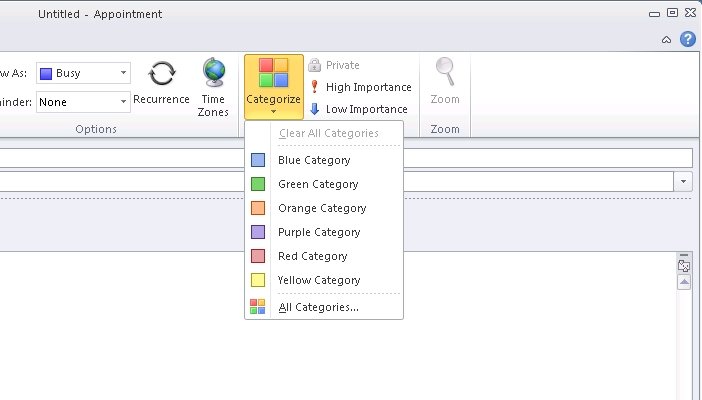
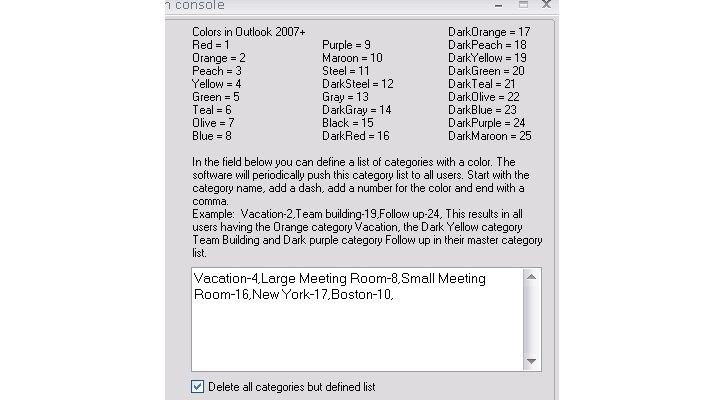


Manage color categories from Exchange server or Office 365
Exchange Category Manager is a plug-in for Exchange server 2010, 2013, 2016 or office 365.
Without any interaction to the user's pc or Outlook® it enables you to manage categories and colors that are available to the users in Outlook® by directly managing their Outlook® master category list on the Exchange server.
If you have more than a few Outlook® users and they use color categories in shared and delegate (calendars, contacts or email) folders then this tool is for you. Only then you can be sure that, when one user selects a certain color for an item, all other users will see the same color.
Different user groups with different color categories
You can define an unlimited number of color category definition groups for different groups of users.
Each group can have it's own set of categories and colors that the users can choose from in Outlook® (pc or mac) or OWA.
Per user group you can either add color categories to Outlook® or replace all categories with the predefined list of categories and colors for that group.
Install it anywhere
The plug-in is built with the Exchange Webservices API and can be installed on any windows computer that can connect to the Exchange server or office 365. It can safely run from the Exchange server itself too. The product is a spinn-off from Exchange Group Calendar where category management is essential to ensure uniformity in the public calendars.
This is not an Outlook® add-in so it does not have to be installed on every computer.
The installation does not add or replace dll's on the server and does not use the registry. Uninstalling is a matter of deleting the install directory and nothing will be left on the server.